✨ AI Summary
- This blog post discusses the process of developing a game using Unity, a powerful game development engine that supports multiple platforms.
- It provides a comprehensive guide on the complete Unity game development cycle, from conception to post-launch support.
- The post highlights the important stages involved in Unity game development which include pre-production, production, and post-production.
- Furthermore, it explores the choice between Unity and its competitor Unreal Engine, emphasizing that the best choice depends on platform preferences, artistic direction, and team size.
- The post also discusses the use of Unity for AR and VR development, both in gaming and other businesses like training and healthcare simulations.
It often starts with a simple thought: “What if I made a game inspired by something like Hollow Knight?” From there, the idea grows into the gameplay mechanics, characters, environments, and a complete game concept. The challenge is knowing how to turn all the pieces into a working game.
Unity makes it possible to build across mobile, PC, console, web, AR, and VR, so the development path can be shaped around the game and its audience. A clear scope and practical production plan help keep each stage moving in the right direction. The 2026 Unity Game Development Report notes that 52% of developers are prioritizing smaller-scale projects, reflecting a focused approach to resources, validation, and production planning.
This guide walks through the complete Unity game development cycle, the tools that support each stage, and the factors teams can consider when planning a production roadmap.
What a Full Unity Game Development Cycle Actually Includes
Unity game development starts with much more than choosing an engine and opening the editor. There’s a game to shape, mechanics to plan, visuals to create, code to write, and builds to test before the game is ready for players. Launch preparation and post-launch work come later, but they are part of the same journey.
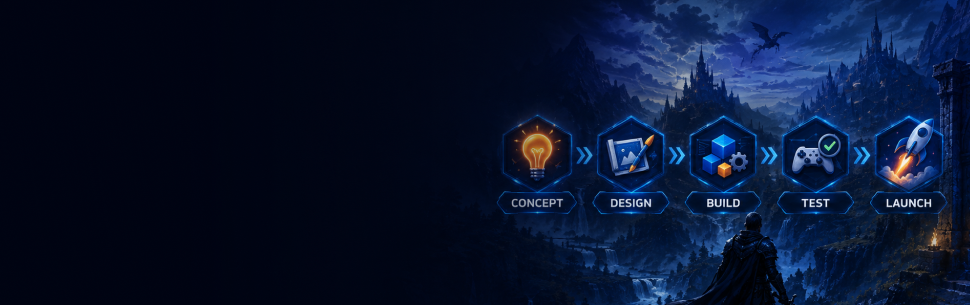
The process begins with the game concept and moves through each stage as the project takes shape, right up to release and the work that follows.
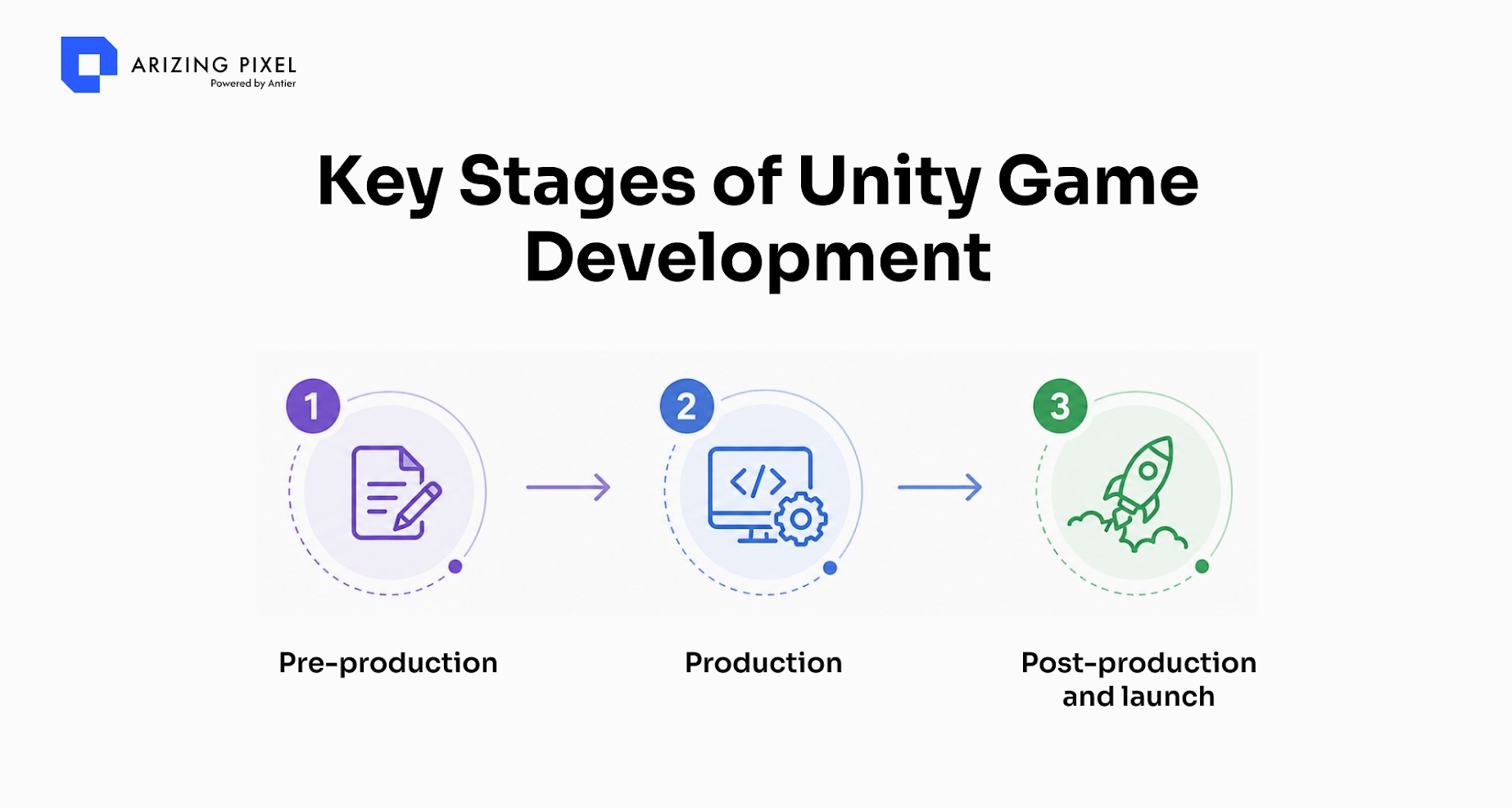
1. Pre-production (timeline depending on scope):
- Concept development and creative brief alignment
- Game design documentation covering mechanics, economy, and progression loops
- Storyboards and visual references for art direction
- Playable prototypes for internal validation or investor presentations
- Platform selection and technical architecture planning
2. Production (timeline depending on title scope):
- Full codebase development in C# within the Unity environment
- 2D and 3D asset creation aligned with the approved art direction
- Level design, gameplay mechanics implementation, and systems integration
- Iterative playtesting integrated into sprint cycles
3. Post-production and launch:
- QA testing across target devices and operating system versions
- Performance optimization tailored to each target platform
- Store submission and platform certification support
- Post-launch support covering patches, analytics review, and stability monitoring
Once players get their hands on the game, the team can keep improving it through patches, analytics reviews, and stability checks.
Ready to Take Your Unity Game From Concept to Launch?
A game also needs different kinds of expertise at different points. Artists may take the lead during one stage while developers or QA teams take over another. Laying out the work stage by stage gives the team a better view of progress and upcoming tasks.
Unity vs. Unreal: Choosing the Right Engine for Your Project
The right choice comes down to platform priorities, art direction, and team size, not a single universal answer.
| Factor | Unity | Unreal Engine |
|---|---|---|
| Strong project fit | F2P, mobile, hyper-casual, AR/VR | AA, AAA, photorealistic 3D |
| Scripting language | C# | C++, Blueprints |
| Mobile development | Highly optimized for mobile workflows | Advanced options for larger productions |
| Cross-platform reach | Web, console, PC, mobile, AR/VR | Console, PC, and selected mobile workflows |
| Team size fit | Works well for teams of different sizes | Mid to large teams |
| F2P & live monetization tooling | Strong native ecosystem | Flexible systems with extensive customization |
For gaming startups building a mobile title, a cross-platform F2P game, or an AR/VR prototype, Unity provides a practical and flexible development environment. Its build pipeline, platform SDKs, and asset store ecosystem support teams working across a broad range of production requirements.
Unity AR and VR Development: Where the Engine Extends Beyond Gaming
There’s a lot more to AR and VR than putting a game inside a headset. Unity lets developers build experiences for phones, browsers, PCs, consoles, and dedicated XR hardware. In gaming, this can lead to first-person adventures, spatial puzzles, and mixed-reality experiences where the player’s surroundings become part of the gameplay.
Businesses are finding uses for the same technology too. Training, healthcare simulations, product visualization, and industrial experiences can all make use of interactive digital environments.
What Unity AR/VR development typically involves:
- Spatial UI design optimized for headset and mobile AR viewports
- Physics and interaction systems designed for hand tracking or controller input
- GPU and CPU performance planning for target hardware such as Meta Quest, iOS ARKit, Android ARCore, and PC VR rigs
- Platform-specific builds and certification for each distribution channel
- Analytics and feedback integration to measure engagement within the experience
The Unity AR/VR pipeline can support both entertainment and enterprise experiences. The core technology provides a shared foundation, while audience requirements, interaction design, and content strategy shape each final product.
Hiring a Unity Development Studio vs. Building In-House
A growing focus on smaller-scale projects reflects a more thoughtful approach to resource allocation and production planning. Even a well-scoped game can benefit from expertise across Unity engineering, art production, QA, platform optimization, and post-launch support.
The key consideration is how the available team structure aligns with the requirements of each production phase.
Working with an external Unity studio can be especially valuable when:
- The internal team has a strong product vision and wants additional Unity expertise across art, code, and QA
- The project targets more than two platforms and requires dedicated platform-specific optimization
- Prototype development is a priority for investor readiness or market validation
- The title includes AR or VR components that benefit from specialized development workflows
- Post-launch support continues alongside planning for the next project
In-house development can be a strong fit when:
- The team has shipped at least two Unity titles across the same platform and genre combination
- The codebase includes proprietary internal systems requiring deep internal collaboration
- The production timeline supports recruiting and onboarding additional Unity specialists as needed
Many gaming startups and independent publishers combine internal product knowledge with external development expertise, particularly during early titles and expansion phases.
A Unity game combines several areas of expertise, including C# engineering, 2D and 3D art production, platform-specific QA, and post-launch support. Bringing these disciplines together under a clear workflow helps teams stay aligned with project milestones.

Thinking About Your Next Unity Game?
The Tools and Platforms Behind a Full Unity Build
A full-cycle Unity project brings together a wider ecosystem of tools alongside the Unity engine itself. These technologies support art production, performance optimization, platform compatibility, testing, analytics, and deployment.
1. Core engine and scripting
- Unity Package Manager for modular feature integration
- Unity Editor profiling tools for performance optimization
2. Art and asset pipeline
- Autodesk Maya and 3ds Max for 3D modeling and rigging
- Adobe Photoshop and Substance Painter for texture development
- Spine or DragonBones for 2D animation rigs in mobile titles
3. Cross-platform delivery
- Unity Build Automation for multi-target deployment
- Android SDK and Xcode for mobile platform preparation
- WebGL build pipeline for browser-based titles
4. AR and VR
- ARKit for iOS and ARCore for Android mobile AR experiences
- OpenXR and platform-specific SDKs, including Meta, SteamVR, and PlayStation VR, for headset builds
5. QA and analytics
- Unity Test Framework for automated testing
- Firebase and Unity Analytics for post-launch behavioral insights
- GameBench or similar tools for frame rate and thermal benchmarking on target devices
It’s worth sorting out the tools before the actual building gets underway. Your artists need a workable asset pipeline, developers need the right setup, and the target platforms will influence several technical choices along the way.
For example, a hyper-casual mobile game may call for a leaner setup, while a cross-platform AR project brings its own technical requirements. Start with what the game needs, then choose the tools and workflow around it.
How Full-Cycle Unity Engagements Get Evaluated
Unity game development outcomes can be evaluated against the goals established in the game design document and technical specification during pre-production. Clearly defined evaluation criteria give teams a shared framework for reviewing progress and preparing each build for its next milestone.
Standard evaluation checkpoints:
- Prototype sign-off: does the playable build demonstrate the intended core gameplay loop?
- Alpha milestone: are the primary systems functional and integrated into the build?
- Beta milestone: is the build stable across all target devices and ready for final refinement?
- Launch certification: has the build completed the certification process for each target store?
- Post-launch review: at 30, 60, and 90 days, how are retention and engagement metrics performing against the project’s planned benchmarks?
Metrics also vary by genre and business model. A hyper-casual title may focus on Day 1 and Day 7 retention, as well as eCPM performance for rewarded video and interstitial placements. A mid-scope mobile RPG may evaluate session length, progression depth reached during the first week, and in-app purchase conversion. An AR experience may focus on session count, return visit frequency, and task completion within the experience.
External Unity development teams can support this process by providing milestone documentation, version-controlled builds at each checkpoint, and post-launch analytics reporting as part of a structured delivery framework.
Conclusion
There’s a lot that goes into getting a Unity game ready for players. You have the game itself, of course, but there’s also the platform, the technology, the art, testing, and all the work that happens before launch. Sorting these things out early can save plenty of back-and-forth later.
At Arizing Pixel, we provide Unity game development for 2D, 3D, AR, VR, mobile, PC, web, and console. We work with gaming startups and publishers at different points in the journey, whether they are shaping an idea, building the game, preparing for launch, or looking after it after release. Got a game idea you have been thinking about? Tell us about it, we’ll help make it playable.
Frequently Asked Questions
01. What is the first step in the Unity game development cycle?
The first step is pre-production, which includes concept development, game design documentation, storyboards, playable prototypes, and platform selection.
02. What programming language is primarily used in Unity game development?
C# is the primary programming language used for full codebase development within the Unity environment.
03. What activities are involved in the post-production phase of game development?
Post-production includes QA testing, performance optimization, store submission, platform certification support, and post-launch support such as patches and analytics review.